


Time Rewind – Unity

Time Rewind – Unity
Key Features:
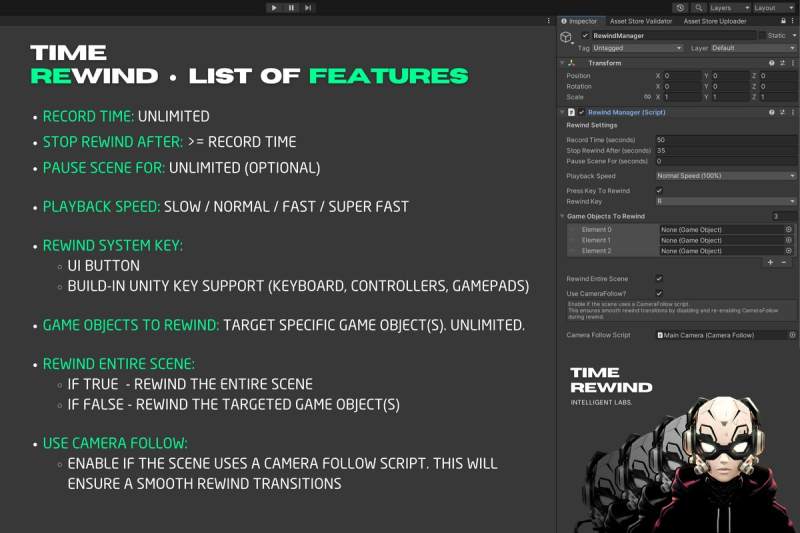
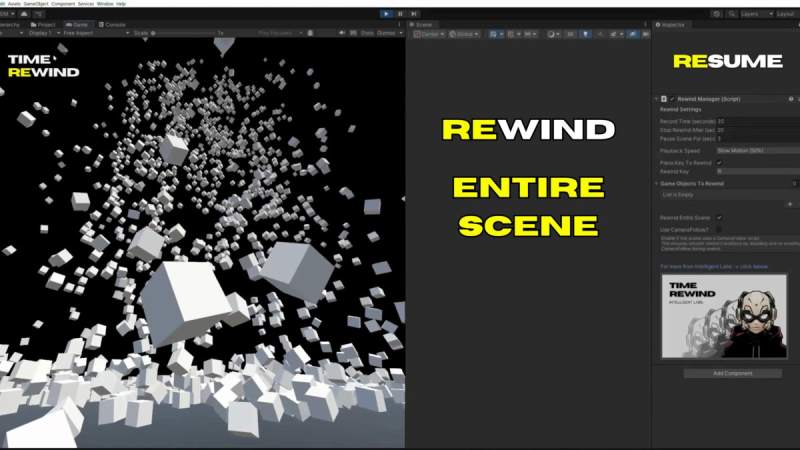
Smooth Scene Rewind: Rewind the entire scene of your gamen with smooth, natural transitions.
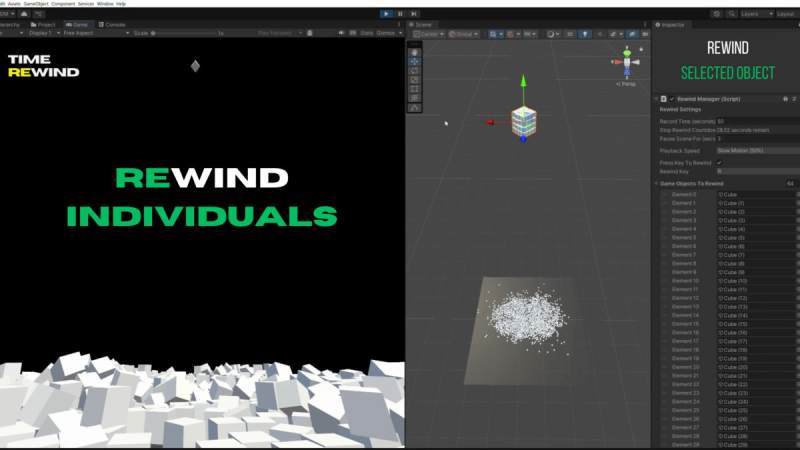
Selected Object/s Rewind: Rewind selected objects, providing flexibility to suit different game scenarios.
Playback Speed Control: Including 4 playback speeds: Slow Motion (50%), Normal Speed (100%), Fast (150%), and Sper Fast (200%).
Pause Scene After Rewind (Optional): Pause the scene for a defined duration after rewinding is complete allowing players to prepare for the next action.
Key-Triggered Rewind: Trigger the rewind action by holding down a customizable key (default: “R”). Works also for controllers.
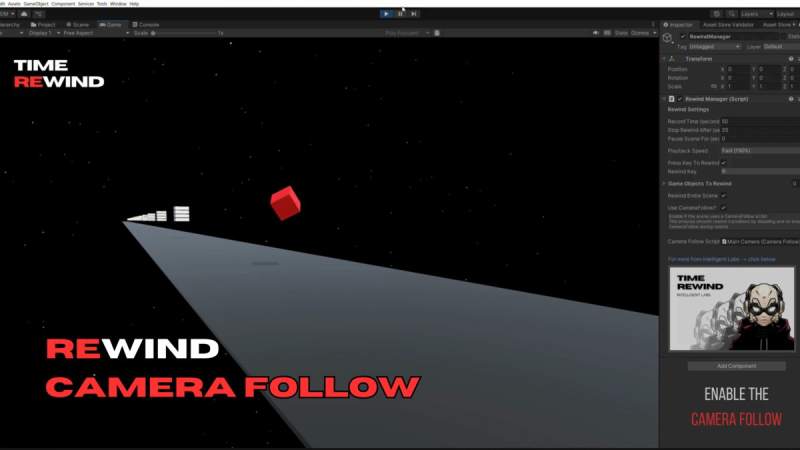
Smooth Camera Motion (Optional): Cinematic, smooth camera motion following the assiened target game object during the rewind process.
Full Inspector Integration: Easily adjust parameters like record time, rewind duration, playback speed, and camera behavior directly in the Inspector.
Flexible Settings: Fully configurable through the Unity Inspector for easy setup and customization.
Seamless Integration: No need for additional setup. Just attach to your game objects and start using the features immediately.
Optimized for both Desktop & Mobile Games: Built with performance in mind, perfect for mobile game development.
Version: 1.0.0