


Procedural Building Generator 2 for Blender
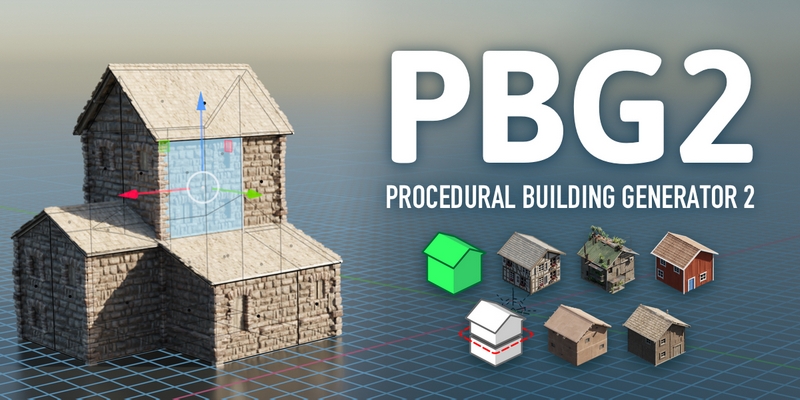
Procedural Building Generator 2 for Blender
Need custom buildings for your scenes?
PBG 2 is a Geometry Nodes-based tool that generates buildings based on your meshes, with the ability to edit them in real-time!
Creating custom buildings has never been easier
Using PBG 2 is as easy as opening the Asset Browser and dragging-and-dropping Presets onto objects. After that, you can edit the building shape simply using the regular tools of Blender; extrude, move, add loop cuts and more. In a few minutes or even seconds, you can model a render-ready building that is tailored to your requirements!
PBG 2 comes with a diverse set of building styles that you can mix and match to create a specific building style.
Turn meshes into buildings
The special thing about PBG 2 is that the generated building adapts to a mesh in its entirety – not just a 2d “floor plan”.
Take Suzanne, a character mesh or any complex 3D building shape, drop a Preset on it and PBG 2 will make a building out of it.
Simulations
PBG 2 has experimental support for deforming meshes, meaning you can add cloth simulations, armatures and more to your buildings. Just add the “Preserve state” node group before the deforming modifier.
Included styles
The base version of PBG 2 comes with a set of varied building styles, but you can also get more packs, or make your own!
Features
This is a tool for rapid generation of buildings. The underlying method comes with a few caveats. Here’s a list of features and restrictions so that you can better judge whether this tool suits your needs:
What you CAN do:
+ Replace a mesh with pre-made building parts
+ Adapt to a variety of building shapes
+ Control general parameters, like the style, colors, or the seed, for an entire floor
+ Add fake interiors (”parallax mapping”)
+ Convert your generated building to a mesh* Use Geometry Nodes and the node groups provided with PBG2 to make a more granular setup (e.g. excluding faces of a mesh based on material)
What you CANNOT do:
– Create curved walls
– Create an optimized or closed mesh
– Change the individual instances distributed on the mesh, e.g. replace a single door with another asset
– Generate detailed interiors or floor plans
– Integrate directly with game engines
DOWNLOAD FROM HOT4SHARE.COM
DOWNLOAD FROM SYNCS.ONLINE