


Magic Time – Control Time per Object (Local Time Scale) [AI + MCP Ready] – Unity
Magic Time – Control Time per Object (Local Time Scale) [AI + MCP Ready] – Unity
————————————————–
Support, Questions, News & Updates
➡️ target=”_blank”>Discord
➡️ target=”_blank”>Scripting Documentation
➡️ target=”_blank”>YouTube Tutorials
————————————————–
🤖 AI Skills — Now you can use Claude Code or other AIs, with or without Unity AI (MCP), to set up, manage, and code with Magic Time & its local time-scale system. Skills include adding the Magic Time Manager and creating Local Time Scales, making objects (and your own scripts) Magic Time Users for per-object slow-motion / bullet-time / freeze, building and managing Time Zones (slow, fast, or frozen areas the player walks through), driving audio / particles / trails to match an object’s local time, and writing custom code — replacing Time.deltaTime with local time, ramping scales smoothly, and reacting to time changes.
1. Install Claude Code or Cowork.
2. Run the bundled install.sh in your project: bash “Assets/Magic Pig Games (Infinity PBR)/Magic Time/Claude Skill/install.sh”
3. Verify step: Ask “What can you do with Magic Time?” to confirm it’s active.
4. Open your agent and ask it to control time in plain English — e.g. “Set up Magic Time and make this enemy move in slow motion while the player stays normal,” “Add a slow-mo bubble the player can walk through that doesn’t slow the player,” “Make my custom movement script obey local time so it slows in time zones,” or “Add a bullet-time toggle that ramps the world to 0.2× and smoothly back.”
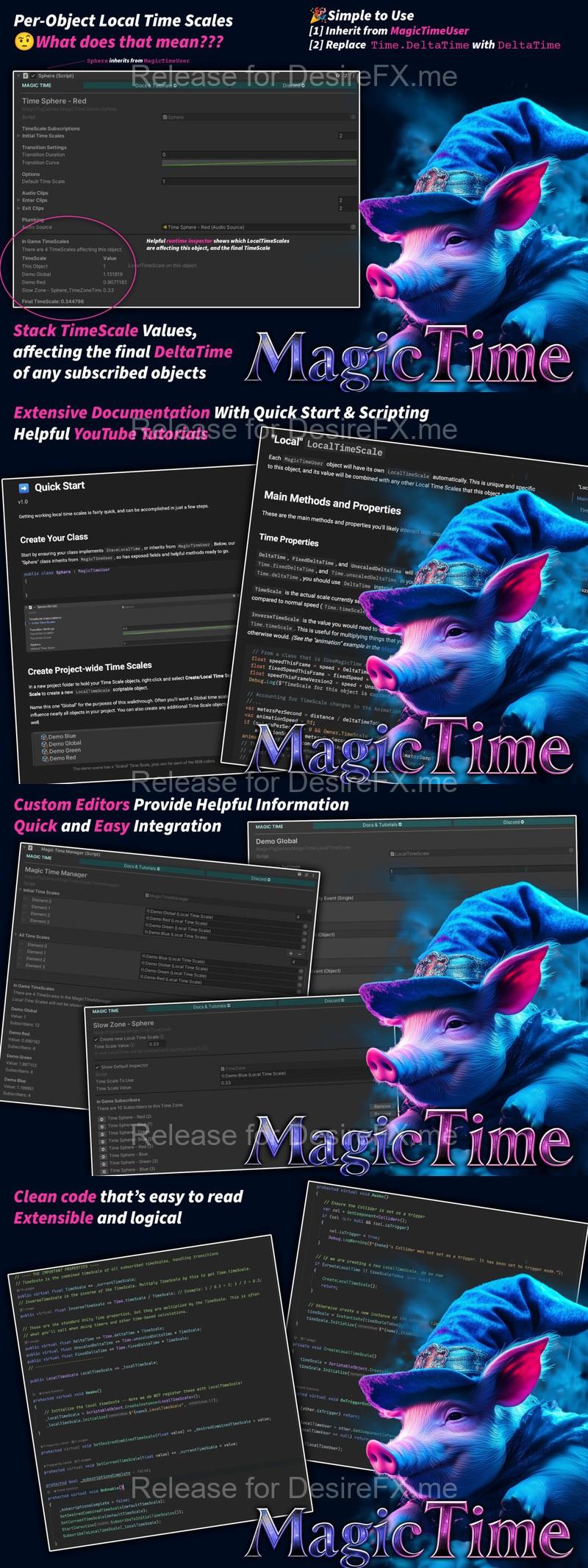
Magic Time – Local Time Scale brings per-object local time scales to your project. What does that mean?!?!
It means you can stack time scale influences onto a single object so that each object can have independent time from other objects, allowing you more control over how individual objects move through your project.
➡ Make all enemies slow down
➡ Change the speed of an individual object
➡ Create zones where time speeds up or slows down
➡ Take control over your timescale
➡ Easy to use: Replace Time.deltaTime with MagicTimeUser.DeltaTime
⭐️ Extensive target=”_blank”> documentation
⭐️ Tons of target=”_blank”>YouTube videos
⭐️ Strong target=”_blank”>Discord community with support
————————————–
🧩 Integrations
🍑 target=”_blank”>Juicy Actions
🚀 target=”_blank”>Projectile Factory
♥️ target=”_blank”> Game Modules 4
————————————–
Check out more info & all of our tools and models at target=”_blank”>InfinityPBR.com
————————————–
If you do get this package, thank you very much! Please leave a rating and review so others can find out what’s what about it!
For discussions on how to expand on this project, please join the target=”_blank”>Discord!
Home Page: _https://assetstore.unity.com/packages/tools/utilities/magic-time-control-time-per-object-local-time-scale-298494