


Export Helper Pro v2.0 for Blender
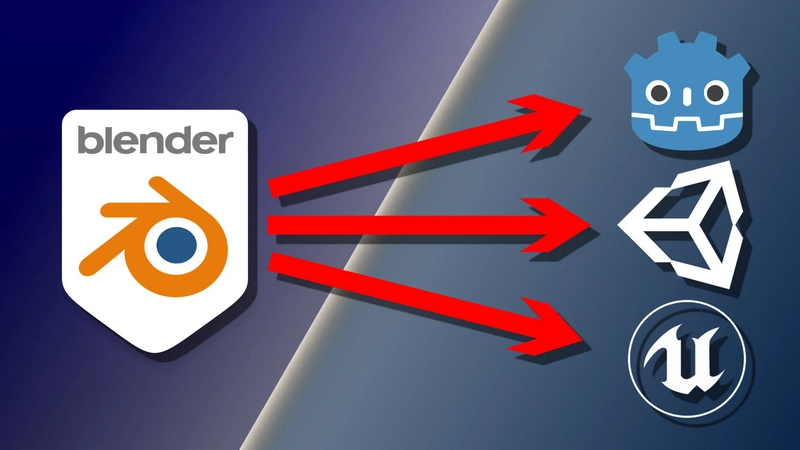
Export Helper Pro v2.0 for Blender
A Blender add-on for batch exporting objects and collections to FBX, glTF, and OBJ formats with engine-specific presets for Unity, Unreal, and Godot.
Version: 2.0.0 Blender: 4.2+ / 5.0 compatible Location: View3D > Sidebar (N) > Export tab
Export Formats
FBX (Unity) – Optimised settings for Unity import
FBX (Unreal) – Optimised settings for Unreal Engine
FBX (Generic) – Standard FBX settings for other applications
glTF/GLB – glTF 2.0 for Godot, web, and modern engines
OBJ – Wavefront OBJ with PBR material extensions
Export Modes
Export All Objects – Export every mesh in the scene as individual files
Export Selected – Export only selected objects individually
Quick Collection Export – Export a single collection (with sub-collections) as one file
Multi-Collection Export – Batch export multiple collections, each as its own file
Smart Features
Viewport Colour Conversion – Automatically converts Viewport Display colours to Principled BSDF materials during export, ensuring colours appear in your target engine
Sharp Edge Preservation – Temporarily applies Edge Split modifier to preserve flat shading on marked sharp edges (glTF/OBJ)
Centre Origins – Optionally moves objects to world origin during export, then restores them
Recursive Collections – Collection exports include all objects from nested sub-collections
Armature Inclusion – Automatically includes armatures when exporting rigged meshes (FBX)
Embed Textures – Option to embed textures inside FBX files for portability
Installation
Download the .zip file from the releases
In Blender: Edit > Preferences > Add-ons > Install
Navigate to and select the downloaded .zip file
Enable “Export Helper Pro” in the add-ons list
Usage
Basic Setup
Save your .blend file – The add-on creates export folders relative to your file location
Open the sidebar in the 3D View (press N)
Select the Export tab
Export Options
OptionDescriptionCentre OriginsTemporarily moves objects to world origin for export, then restores their positionConvert Viewport ColoursCreates Principled BSDF materials from Viewport Display coloursInclude ArmaturesIncludes armatures when exporting rigged meshes (FBX only)Embed TexturesEmbeds textures inside FBX files (FBX only)Preserve Sharp EdgesApplies temporary Edge Split modifier for flat shading (glTF/OBJ)glTF FormatChoose between GLB (single binary) or glTF + separate files
Export Workflows
Individual Objects
Select your export format
Click Export All Objects to export every mesh, or
Select specific objects and click Export Selected
Single Collection
In the “Quick Collection Export” section, select your target collection
The panel shows object count and sub-collection info
Click Export Collection – all objects (including nested sub-collections) export as one file
Multiple Collections
In the “Multi-Collection Export” section, click + to add collections
Or click the preset icon to add all scene collections automatically
Toggle checkboxes to enable/disable individual collections
Click Export X Collections to batch export
Open Export FolderOutput Structure
Exports are organised in a folder next to your .blend file:
yourfile.blend
yourfile-export/
├── FBX_Unity/ # Unity FBX exports
├── FBX_Unreal/ # Unreal FBX exports
├── FBX/ # Generic FBX exports
├── GLB/ # glTF binary exports
├── glTF/ # glTF separate exports
└── OBJ/ # OBJ exports
Click Open Export Folder to open the output directory in your file browser.
Each object or collection is exported with its Blender name as the filename.
Format-Specific Settings:
FBX (Unity)
Face-based smoothing
Tangent space enabled
No leaf bones (cleaner skeleton hierarchy)
Y-up, -Z forward axis
FBX (Unreal)
Edge-based smoothing
Mesh edges preserved
Tangent space enabled
No leaf bones
Y-up, -Z forward axis
FBX (Generic)
Face-based smoothing
Baked transforms
Standard settings for general use
glTF/GLB
Applied modifiers
Tangents and normals exported
Y-up orientation
GLB: Single binary file with embedded textures
glTF: Separate .gltf, .bin, and texture files
OBJ
PBR material extensions enabled
Applied modifiers
UVs and normals exported
Y-up, -Z forward axis
Viewport Colour Workflow
This feature is particularly useful for game asset workflows where you:
Model objects using simple Viewport Display colours (no shader nodes)
Want those colours to appear in your game engine
How it works:
Materials without Principled BSDF nodes are temporarily converted during export
The Viewport Display colour becomes the Base Colour
Original materials are restored after export
Sharp Edge Workflow
For hard-surface models with flat shading:
In Edit Mode, select edges you want sharp
Edge > Mark Sharp
Enable “Preserve Sharp Edges” in the export panel
Export to glTF or OBJ
The add-on temporarily adds an Edge Split modifier (using marked sharp edges only), exports, then removes it.
Compatibility
Blender 4.2+ – Supported
Blender 5.0 – Fully supported
Older versions – May work but untested; some features require 4.x APIs