


Per-Camera Resolution v2.3.2 for Blender
Per-Camera Resolution v2.3.2 for Blender
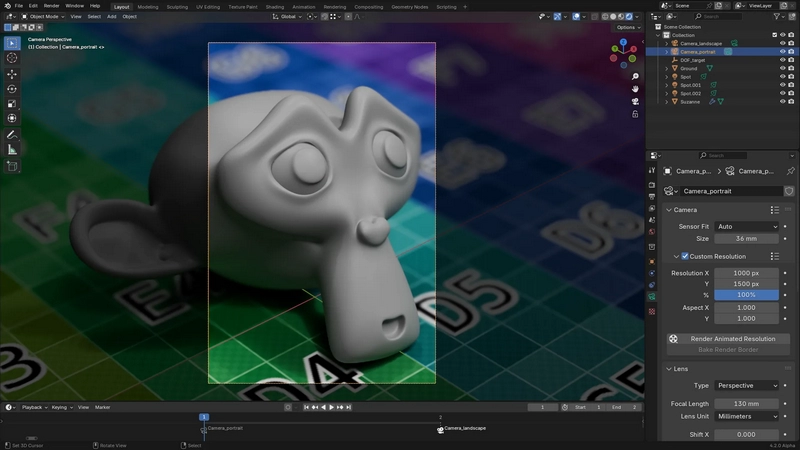
Instead of having a globally-defined scene resolution, this add-on allows you to set a resolution for each camera. Whenever you switch cameras, either manually or through timeline markers, the scene resolution will get updated to the camera’s.
You can find the camera resolution settings in the Object Data properties, under the Camera panel.
Rendering
Animating the resolution is not supported by default in Blender, and regular animation rendering will only use the resolution at render start.
This add-on provides a new Render Animated Resolution operator which works around this limitation. Note however that starting a render this way will lock the interface until the render is complete, or until Blender is killed.
Baking render borders
In addition to providing direct controls for each camera’s resolution, this add-on allows you to create a new camera by setting a render border inside the camera view in the 3D viewport (Ctrl + B), and clicking Bake Render Border in the Custom Resolution panel.
A new camera is created, which uses the exact area defined by the border. This allows you to select multiple cropped areas in a camera.
Known issues
This add-on uses a workaround to animate the camera resolution, which can sometimes cause stability issues. If you encounter such issues, try disabling the add-on.
DOWNLOAD FROM HOT4SHARE.COM
DOWNLOAD FROM SYNCS.ONLINE