


Loop Copier 2.4.1 for Blender
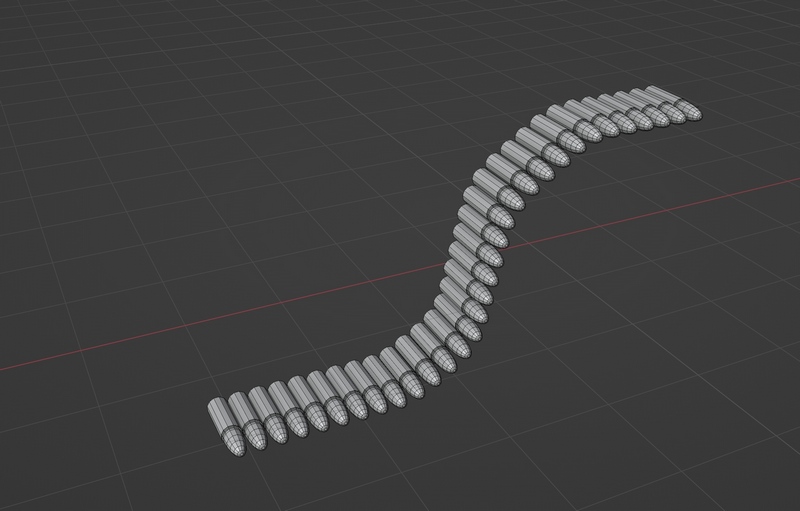
Loop Copier 2.4.1 for Blender
Loop Copier is a simple tool for copying mesh along the selected edges-loop.
It is different from using Array Modifier + Curve Modifier in blender, which will deform the original mesh parts (curve modifier bend it).
This tool does not deform parts. It is great for making hard-surface structure such as tank, bullet magazine, chain, etc
You can choose the number of copiers, also it has Rotation, Scale and Offset options.
It works on closed loop or open end edges-line.
You can also use this tool on existing edges of the mesh.
You can use this tool on curved surface too. It can place mesh on the selected edges on curved surface. (using face normal)
Geometry Nodes Mode
(this feature doesn’t work since blender 4.0 , so it is removed now. I may add it back in the future)
Version 2.0.0 added the support for Geometry Nodes.
Now can you check the option box in menu to enable the setup of Geometry Nodes.
You can edit the Geometry Nodes setting anytime, and even make animation from it.
Addon Usage
There are two steps for using this tool :
Setting the Edge Loop
Select the mesh, then copy it to the Edge Loop
Step 1 :
Switch to Edit Mode > Edge mode , select the source Edge Loop, then right click in 3D viewport,
select “Loop Copier” from the bottom of the blender’s Context Menu.
Then, select “Set Edge Loop”
Step 2 :
Now, select your mesh for copying. You can switch to Face mode, move the cursor to it, press L key (L key is selecting meshing in blender).
Right Click in 3D viewport, select “Loop Copier” from the bottom of the blender’s Context Menu.
This time, select “Copy to”.
Now you can change the number of copies, shift, and other settings.