


Shading + v1.1.4 for Blender
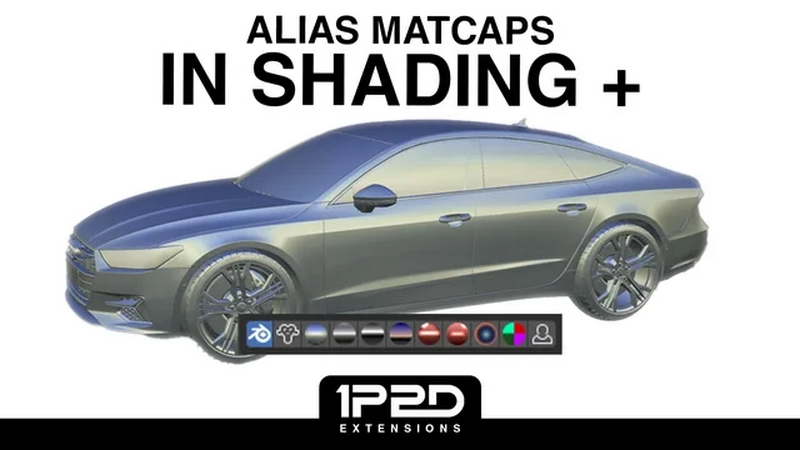
Shading + v1.1.4 for Blender
Only interested in the Alias Matcaps?
Download and install the extension.
Navigate to the Add-on preferences.
Click on “Install/Update Matcaps”.
A confirmation message will appear in the status bar once the installation is successful.
Disable (checkbox) the Pie Menu or uninstall the Shading + extension (but you won’t be notified of new Matcap releases)
Main features
Seamlessly integrate your favorite Alias shaders into Blender Matcaps
Model with Toon-like Matcap presets
Switch from Cycles to EEVEE in a click
Switch from built-in to Custom HDRI with ease
Sync your built-in HDRI to your Scene’s World instantly
Render your Scene with your Solid Shading presets using Workbench
Consider downloading the HDRI Rotator as well — it pairs really well with Shading + and can significantly improve your workflow.
Pie Menu shortcuts
Rendered: Workbench (CTRL + click to set only)
Rendered: EEVEE (CTRL + click to set only)
Rendered: Cycles (CTRL + click to set only, ALT+click to Pause/Resume Cycles)
Wireframe
Material Preview
Solid (+ Solid Shading presets, read more below)
HDRI Presets (read more below)
Extra Toggles (read more below)
Solid Shading presets
Default: Blender’s default Viewport Shading settings
Cell 1/2: flat colors set to material so it detects your materials viewport colours with shadows enabled – very powerful in Workbench Rendered with the compositor enabled.
Alias Shade Sky
Alias Showroom
Alias Photo Horizon
Alias Double Horizon
Red Matcap 1
Red Matcap 2
Fuel Shaded
Metal
Clown
Normal
Collection
User Preset 1
HDRI Presets
Built-in/World: switch from Blender’s built-in HDRIs to your World’s HDRI
Sync Built-in toggle: enable this to set the selected built-in preset as World HDRI
Extra Toggles
Compositor
Transparency
Normals
Wireframe
Shadows
Subdivision
Camera Background only
Settings
Import Matcaps: click on this button to import new Matcaps once the add-on installed
Customize Pie Menu via the toggles in the add-on preferences
Default Keymap
Z: Can be changed via the add-on settings or in the main keymap menu.