


Timeline Audio Visualizer v0.2.5 for Blender
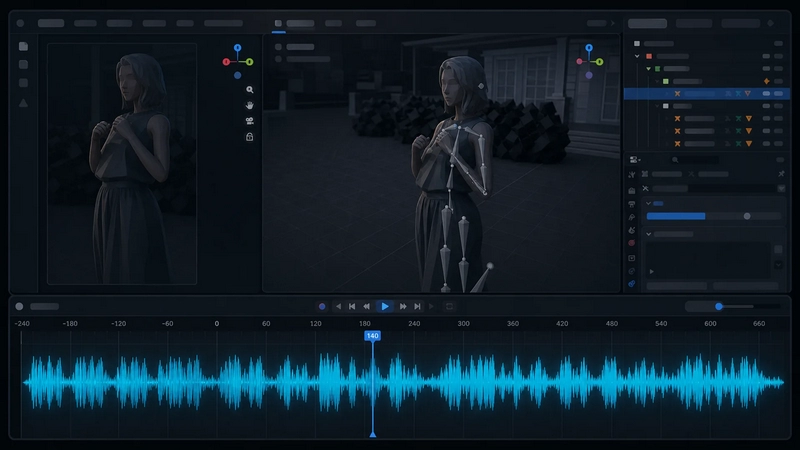
Timeline Audio Visualizer v0.2.5 for Blender
Timeline Audio Visualizer draws audio waveform overlays directly inside Blender animation editors. It helps animators time actions, lip sync, beats, impacts, cuts, and scene accents without constantly switching to the Video Sequencer or an external audio editor.
The overlay is available in:
Dope Sheet
Graph Editor
NLA Editor
Features
Draws audio waveforms directly over animation timeline editors.
Supports audio from Video Sequencer sound strips.
Supports audio from Speaker objects.
Adds a compact TAV button to the Dope Sheet / Timeline header for quick access.
Works from the sidebar Sound tab or from the header popover.
Multiple waveform display modes:
Peaks / Bars
Solid Mirror
Outline
RMS Envelope
Peak + RMS
Positive Fill
Adjustable waveform height.
Vertical Anchor option:
Center
Bottom
Top
Custom waveform color in the extension preferences.
Adjustable waveform detail level.
Sequencer source filters:
Audible Strips
Selected Strips
Sound In List
Optional scene range clamp.
Cached waveform data for faster redraws.
How to use
Open an animation editor: Dope Sheet, Graph Editor, or NLA Editor.
Press N to open the sidebar.
Open the Sound tab.
Use Timeline Audio Visualizer > On / Refresh.
You can also use the TAV button in the Dope Sheet / Timeline header to open the controls as a quick popover.
Audio decoding
The extension tries to decode audio in this order:
Blender AUD
Basic WAV fallback
Most common WAV files and many MP3 files should work through Blender’s built-in audio support.
Permissions
This extension reads local audio files used by the current Blender project in order to generate waveform data.
It does not upload audio, project files, or user data.
Limitations
This tool is intended for short animation and audio timing ranges. Very long full-track editing sessions may be slower or use more memory depending on waveform detail settings.