


Track Tools V2.1 BETA for Blender
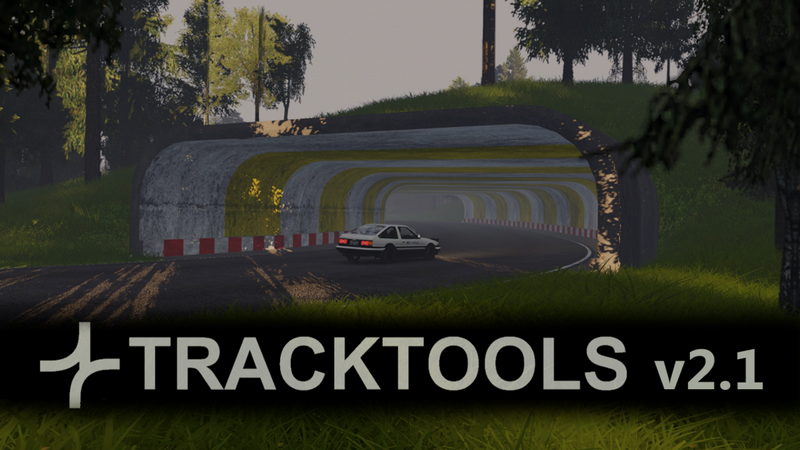
Track Tools V2.1 BETA for Blender
Beta Notice
This is still a beta version, so you may encounter some bugs or issues. Also Blender 4.5+ is required.
TrackTools is a series of Blender GeoNodes modifiers for building tracks and roads without the usual headaches. Whether it’s a game track or just a scenic road for your visualization, it streamlines the repetitive processes so you can focus on the fun parts.
Real-World Reference
Follow real-world terrain to create realistic tracks, create your own terrain from scratch, or combine both approaches.
Interactive learning
A dedicated tutorial file is included that shows how everything is set up. You can explore the modifiers, see the values in use, and experiment by changing them to understand how the system works.
Please note: the current YouTube step-by-step tutorial covers the previous version. An updated video is not yet available, so if you’re completely new to Blender, the included tutorial file may not be sufficient on its own.
Modular and Stackable
The system is made of modifiers that can be used individually or stacked to create more complex setups. Combine roads, edges, barriers, markings, and environment objects to quickly build detailed tracks or roads exactly how you want them.
Custom assets
Combine modifiers into your own configurations and reuse them as assets. Build anything from a simple road with markings to a detailed highway with barriers, lamps, ditch, then save those setups for quick use in future projects.
Tools Overview:
TERRAIN_GEOMETRY
Subdivides the terrain based on its distance to the input object or collection.
• 6 ranges to control each subdivision area independently.
• Option to delete far geometry
• Option to shrinkwrap to a reference terrain
TERRAIN_SHAPE
Smooths the mesh around specified object/collection.
• Set the min and max distance for the smoothing.
• Cut holes for tunnels.
• Option to cut-out unneeded mesh under the road.
ROAD
Creates UV unwrapped road mesh from a curve.
• Create intersections.
• Adjust width, resolution, add camber and banking.
• Assign material and generate UVs.
• Option to source elevation from reference terrain.
• Outputs middle and border curves for further use.
EDGE
Generates mesh around border edges of the input mesh.
• Choose from presets, set width and height or use custom profile.
• Option to generate new UVs or extend the road UVs.
MARKINGS
Generates marking lines from input curve.
• Can be used independently or stacked on top of ROAD modifier.
• Quickly pick from 6 types of lines.
• Use curve radius to create different combinations.
ROAD_POSTS
Places an instance object along the road opposite each other, one side rotated by 180°.
• Adjust spacing and offset of the instances.
• Can be used independently or stacked on top of ROAD modifier.
BARRIER
Generates mesh along a curve from input profile and places instances of an input object along the curve.
• Perfect for walls, rails, sidewalks, lamps, posts, etc.
• Can be used independently or stacked on top of ROAD, BRIDGE or TUNNEL modifiers.
• Choose and adjust profile preset or use custom profile curve.
• Instance any object along the curve and control the spacing, rotation and more.
• Stack multiple modifiers with different settings to create variations quickly.
RACING_KERB
Generates smooth or stepped racing kerbs along input curve.
• Choose between arched profile, stepped kerb or custom profile.
• Set width, height, and resolution.
• Additional width control using curve radius.
PARKING_LINES
Generates parking lines along input curve.
• Set spacing and line width.
• Choose to include border line.
• Adjust angle and length quickly using curve radius and tilt.
ISLANDS
Generates mesh grid and border in the shape of the input plane.
BRIDGE
Generates simple bridge mesh along inputted curve and places bridge pillars.
• Has all features from the ROAD modifier + you can set thickness and instance pillar objects.
TUNNEL
Generates tunnel mesh along inputted curve.
• Choose from profile presets or use custom profile curve.
• Supports intersections (still a bit limited)
• Generates cutter mesh ready for boolean operations in other modifiers.
SNAP_TO
Aligns border edges or points between objects.
• Set snap distance.
• Choose to target points or edges.
• Optional Z-smoothing.
SUBD_CURVE
Works like a subdivision surface modifier but for curves (addition to the SNAPTO modifier).
• Choose level of subdivision.
• Option to resample the curve before subdividing.
SHRINKWRAP_CURVE
Works like a subdivision surface modifier but for curves (addition to the SNAPTO modifier).
• Choose level of subdivision.
• Option to resample the curve after subdividing.
FILTER_PARTS
Useful for exporting the parts separately or deleting parts that are not needed.
DUPLICATE_CURVE
Duplicates any curve.
• Set number of copies.
• Adjust offset.
• Control the tilt behavior.
SURFACE – *currently broken, will be fixed ASAP
Subdivides the road mesh and adds bumps.
• Useful for creating collider mesh for the road with higher resolution.
QUICK_GRID
Fills inputted 2D plane with square or triangle faces.
• Used to quickly generate uniformly subdivided 2D grid.
• Cuts the new mesh in the shape of the input geometry
• Transfers UV map
TRANSFER_UVs
Transfers UV map from target to new terrain.
• Choose the target object and direction for the raycast.
• Useful for working with sattelite images and more.
TREES
Distributes instances/points on target geometry.
• Input instance object or collection.
• Use with trees, bushes, rocks, or any other object.
• Control the placement with simple planes or curves placed above the target.
• Use any object or collection as a mask (road, parking lot, houses…).
• Set density, distance from mask, and variance.
• One-click export .txt file ready for Assetto Corsa TreeFX with TrackToolsExporter.
LAYOUTS
Helps generate empties used for Assetto Corsa spawn points and checkpoints.
• Controlled by input curve.
• Generate start, pit, hotlap, and checkpoints in seconds.
• Switch direction in one click.
• Generate mesh line for each layout (useful for rendering track map or outline picture).
• Works on any track (needs a curve going approx. in the middle of the road).
• One-click export multiple layouts in separate .fbx files using TrackToolsExporter.
TrackToolsACExporter
Installable addon for exporting content to Assetto Corsa.
• Export tree positions from the TREES modifier, ready for use with TreeFX.
• Generate game-ready spawn objects from LAYOUTS modifier.
• One-click export of all layout-specific objects to their corresponding .fbx files.
Limitations:
• v2 – v2.1 compatibility not guaranteed.
• SURFACE modifier not working properly in this build (because of the new functions in EDGE modifier) – will be fixed ASAP.
• Most curve to mesh operations will glitch witch sharp angles.
• Automatic smoothing can leave sharp bumps when slopes are steep and angles too tight.
• BRIDGE and TUNNEL – Although these modifiers were completely reworked and are much more stable now, they’re still a relatively new concept that hasn’t been extensively tested. Please be patient with these tools—the tunnel modifier was especially complex to develop. Expect some bugs.
• MARKINGS are still pretty limited in automatic mode.
Performance Tips
Building larger maps impacts performance.
• Work in smaller sections and apply modifiers progressively.
• Disable unused collections to keep the viewport responsive.
• Switch off UV generation to save computing power.
• Use lower subdivision settings while working, and increase them only for the final export.
Note: There isn’t a one-click performance saver yet, so for now it’s up to you to be careful with certain combinations to avoid freezing.