


YL MeshCheckHUD v1.0.2 for Blender
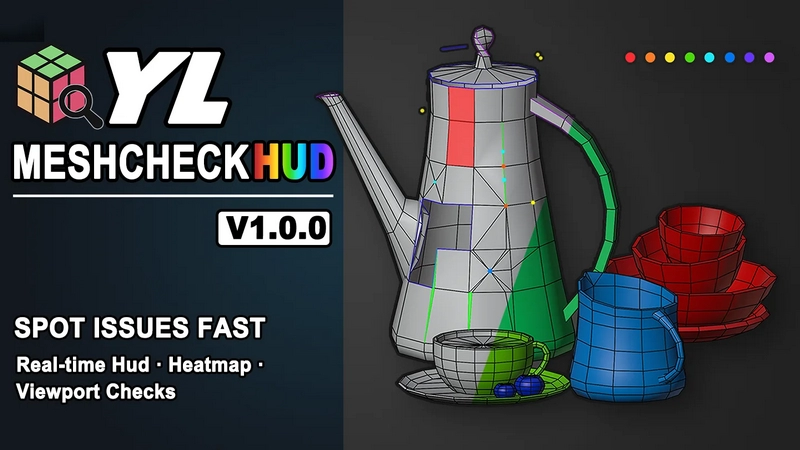
YL MeshCheckHUD v1.0.2 for Blender
Mesh density, dimensions, topology issues, and visual HUD feedback directly in the Blender viewport.
YL MeshCheckHUD is a lightweight Blender addon for artists, modelers, and asset reviewers who want to understand mesh quality without constantly switching panels, running separate tools, or interrupting their modeling flow.
It brings the most useful mesh information directly into the 3D Viewport, helping you quickly spot what matters:
Topology issue locations: see exactly where common mesh problems appear
Accurate dimensions: check the real size of selected objects
Edit Mode selection size: view the size of selected vertices, edges, or faces in real time while editing
Mesh density: monitor triangle count while you model
Object complexity: instantly identify which objects are heavier than the rest
Unapplied scale warnings: catch scale issues before they cause trouble
Multilingual Support:
YL MeshCheckHUD is built with broad multilingual support and automatically follows your Blender interface language.
Current language support includes 15 language variants:
English
中文(简体 / 繁體)
日本語
한국어
Deutsch
Français
Español
Italiano
Português
Polski
Русский
Tiếng Việt
Where Is It Located in Blender?
After installation, open the 3D Viewport sidebar with N, then go to the YL MeshCheckHUD tab.
The addon includes three main tools:
Live HUD
Heatmap Preview
Check Mode
Live HUD
The Live HUD shows useful mesh information directly in the viewport while you work.
It can display:
real-time triangle count
overall dimensions of the current selection
single-object and multi-object selection stats
Edit Mode selection dimensions for selected vertices, edges, or faces
unapplied scale warnings
This is especially useful when you want to monitor scale, density, and basic mesh health without breaking your modeling flow.
Heatmap Preview
Heatmap Preview gives you a fast visual overview of mesh complexity across your scene.
Objects with higher triangle counts shift toward warmer colors, while lighter objects stay cooler. This makes it easy to see which models may need optimization before you even open a detailed report.
Heatmap Preview also includes a sortable result list, so you can compare objects by:
triangle count
triangle ratio
material count
UV count
object name
Useful for:
scene review
game asset optimization
production model cleanup
checking density balance across multiple objects
Check Mode
Check Mode helps you find common topology issues directly on the mesh.
It can detect and highlight:
Ngons
Doubles
Isolated vertices
Needle triangles
Tiny faces
Poles
Non-manifold edges
Missing sharp edges
Each issue type uses its own viewport color, so problems are easy to read at a glance.
You can also:
sort check results
enable or disable individual checks
hide or show specific result columns
adjust check thresholds
use X-Ray overlay for clearer inspection
Why Use YL MeshCheckHUD?
YL MeshCheckHUD is designed to make mesh review faster, clearer, and more visual.
Instead of checking mesh data one step at a time, you can:
monitor mesh stats while modeling
measure selected parts directly in Edit Mode
compare object density with a heatmap
spot topology problems directly on the model
focus only on the checks you care about
review assets before export or delivery
It is a practical tool for hard-surface modeling, asset cleanup, scene review, game-ready optimization, and general mesh inspection.
Supported Blender Versions
Blender 4.2 to 5.3