


Spline Path System – Movement Framework – Unreal Engine
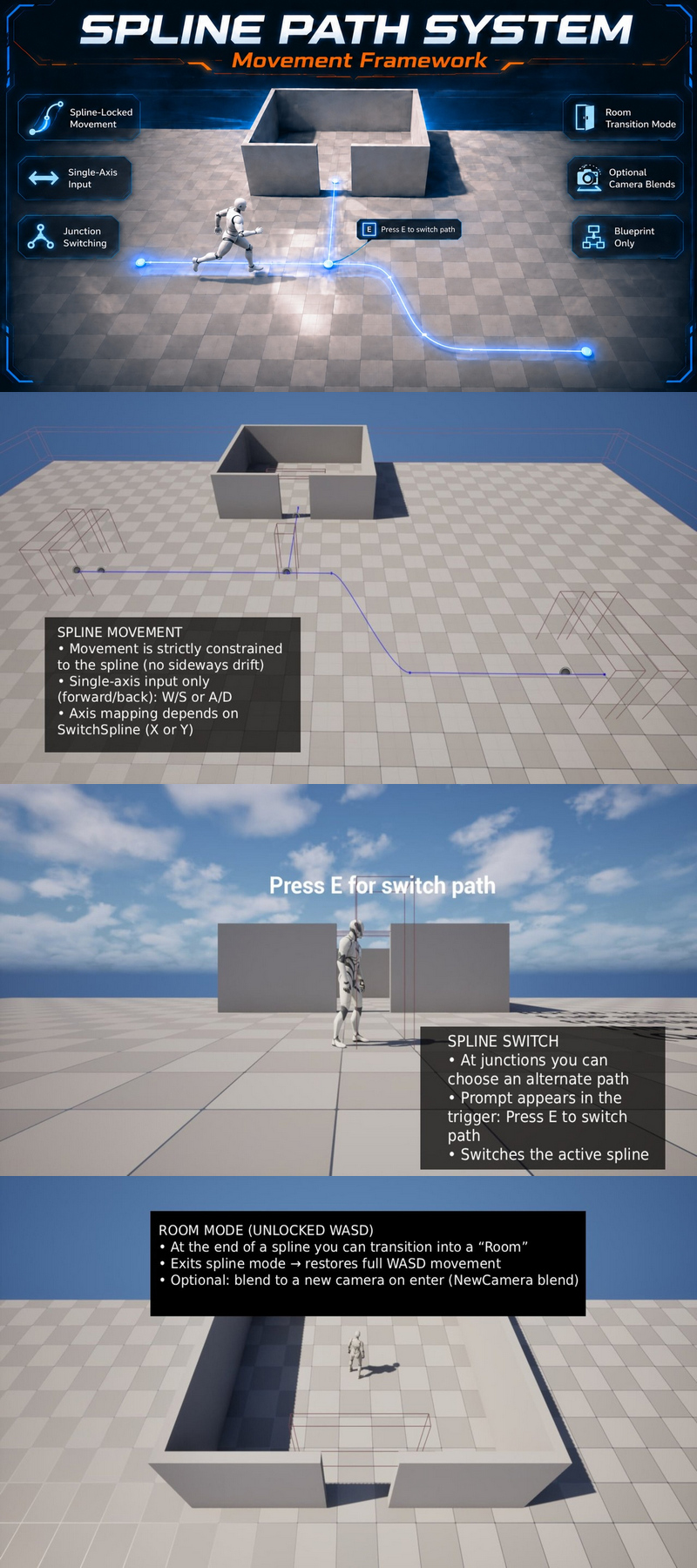
Spline Path System – Movement Framework – Unreal Engine
Spline Path System – Movement Framework is a Blueprint-only spline-locked movement solution for “rail / guided path” gameplay with optional junction switching and room transitions.
Key Features
Spline-Locked Movement (No Drift): player movement is strictly constrained to the active spline.
Single-Axis Input: movement uses only one axis (forward/back) while on spline.
Junction Switching: show an interaction prompt and press E to switch to an alternate spline at junctions.
Room Transition Mode: exit spline mode and restore full WASD movement inside “Room” areas.
Optional Camera Blends: smoothly blend to a new camera when entering a room (if configured).
Blueprint-Only: no C++, easy to integrate.
How It Works
Enter spline mode via BP_SplineSwitchTrigger.
Features:
Spline-locked player movement (no sideways drift)
Junction switching between splines with Press E prompt
Optional “Room” transition that restores full WASD movement
Optional camera blending on room enter (NewCamera / SetViewTargetWithBlend)
Blueprint-only, plug-and-play example setup
Number of Blueprints:
Core Blueprints: ~5 (Actors + Actor Component + Widget)
Input (preconfigured):
Keyboard: WASD movement
Interaction: E (switch path at junctions)
Axis usage while on spline:
SwitchSpline = False → driven by X
SwitchSpline = True → driven by Y
Network Replicated:
No
Supported Development Platforms:
Windows: Yes
Supported Unreal Engine Versions: 5.7 – 5.8
Important/Additional Notes:
Requires the player pawn/character to have the spline movement Actor Component (SplinePawnComponent / AC_Spline).
Place spline actors and triggers, assign spline references, then play.