


Notebook Mockup QB8FULN
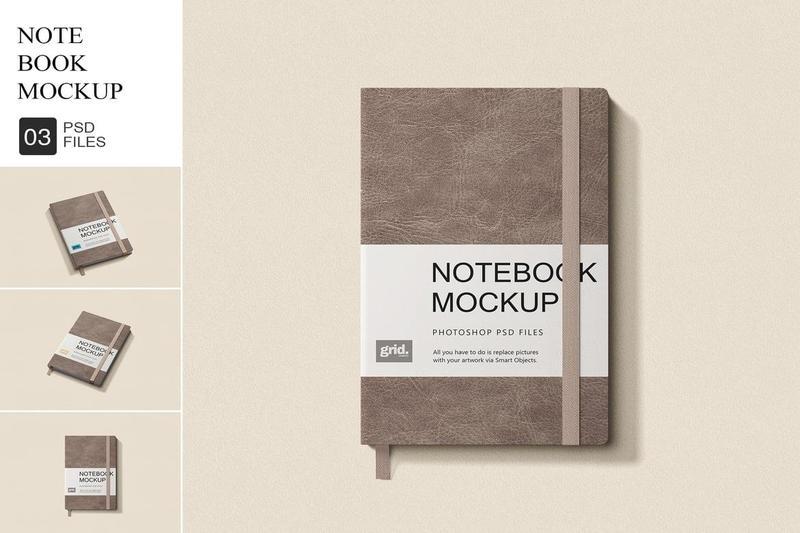
Notebook Mockup QB8FULN
PSD | PDF
**Notebook Mockup**
It contains everything you need to create a realistic look of your project. Guarantees the a good look with smart perspective and perfect fit to the shape. Easy to navigate, well described layers, friendly help file.
**FEATURES**
– 03 Photorealistic PSD files
– Customization via smart object layers
– Resolution: 45003000 pixels 300DPI
– All objects placed on separate layers
– Organized Layers
– Increase/decrease specular/highlight effect and shadow
– Changeable color background
**3 EASY STEPS TO ADD YOUR DESIGN**
– Open the PSD file and double-click on the Smart Object Layer, (Labeled with green color).
– Simply Drag n Drop your design in the opened layer.
– Adjust the design, close the layer and Save. Now youre all ready to present the design
**YOU CAN USE OUR MOCKUP TO**
– Display your designs with a polished tin can mockup.
– Showcase label and branding with a high-quality tin mockup.
– Perfect for visualizing culinary branding, the food mockup.
– Elevate your product’s appeal with a detailed food packaging mockup.
– Creatively present your cuisine with a realistic food box mockup.
– Impress clients with versatile and professional food mockups.
– Enhance the visual impact of your product with a food package mockup.
– Streamline your branding with a sleek food container mockup.
– Captivate your audience with an elegant jar mockup.
**NOTE**
Images or designs used in this preview are not included