


AI-Optimized Dreamy Vintage Lightroom Presets V3XKECV
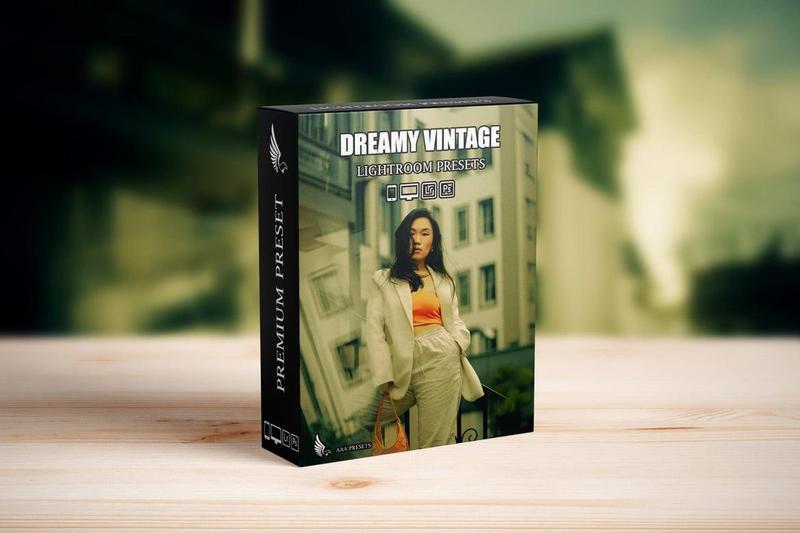
AI-Optimized Dreamy Vintage Lightroom Presets V3XKECV
AI-Optimized Dreamy Vintage Lightroom Presets (8 DNG + 8 XMP)
Give your photos a soft, timeless film mood with the AI-Optimized Dreamy Vintage Lightroom Presets. This preset pack adds gentle pastel tones, creamy highlights, and subtle vintage warmth to create dreamy, nostalgic images while keeping skin tones and details looking natural.
Dreamy Vintage Film Look for Your Photos
These presets are perfect for portraits, lifestyle shoots, couples, fashion, indoor caf sessions, cozy home photos, and travel diaries. With one click, you can turn simple photos into soft, dreamy vintage scenes that fit beautifully with aesthetic Instagram feeds, blogs, and social media content.
Key Features
* Dreamy vintage film look with soft, muted tones
* Creamy highlights and gentle contrast for a romantic feel
* Subtle warmth for a nostalgic, retro mood
* AI-optimized presets for quick one-click editing
* Balanced to keep skin tones smooth and natural
Perfect For
* Portraits, lifestyle, and couple photography
* Vintage-inspired fashion and studio shoots
* Indoor caf, bedroom, and cozy home photography
* Travel diaries and aesthetic Instagram feeds
What You Get
* 8 Lightroom Presets in XMP format for Lightroom Classic, Lightroom Desktop, and Adobe Camera Raw
* 8 Lightroom Presets in DNG format for Lightroom Mobile on iOS and Android
* Compatible with RAW and JPEG files
* Optimized for natural light, window light, daylight, golden hour, and soft indoor light
Compatibility
* Adobe Lightroom Classic (XMP)
* Adobe Lightroom (Desktop and Mobile)
* Adobe Camera Raw (ACR)
* macOS and Windows
* Lightroom Mobile for iOS and Android via DNG presets
How to Use the Dreamy Vintage Presets
1. Import your photos into Lightroom (desktop or mobile).
2. Apply one of the Dreamy Vintage presets from the pack.
3. Adjust exposure and white balance to match your lighting.
4. Fine-tune contrast, highlights, and shadows to get your preferred softness.
5. Export and share your dreamy vintage edits on social media or in your portfolio.
Why Choose These Dreamy Vintage Presets?
* Create a soft, nostalgic style across your gallery or feed
* Save time on editing with AI-optimized one-click presets
* Beginner-friendly with results that still look professional
* Ideal for creators, photographers, and influencers who love vintage vibes
Helpful Tips
* For best results, start with well-exposed photos, preferably shot in RAW.
* Use white balance to find the perfect warm or neutral tone for each image.
* Lower contrast and clarity slightly if you want an even softer, hazier dreamy look.
FAQ Dreamy Vintage Lightroom Presets
Do these presets work on mobile?
Yes. The pack includes 8 DNG presets you can use in the free Lightroom Mobile app on iOS and Android.
Can I use them with JPEG photos?
Yes. These presets work with both RAW and JPEG files from cameras and smartphones. RAW gives more flexibility, but JPEGs still look great.
Are the presets easy to adjust?
Yes. Apply a preset as your starting point, then adjust exposure, white balance, contrast, and highlights until it matches your style.
What type of photos do they work best on?
These presets work best on portraits, lifestyle, fashion, indoor natural light scenes, and any photos where you want a soft, dreamy vintage mood.
Add a timeless, dreamy film look to your images with the AI-Optimized Dreamy Vintage Lightroom Presets (8 DNG + 8 XMP).
Note: Model images shown are for presentation purposes only and are not included with the download.