


AI-Optimized Moody Underwater Lightroom Presets 5MG23WD
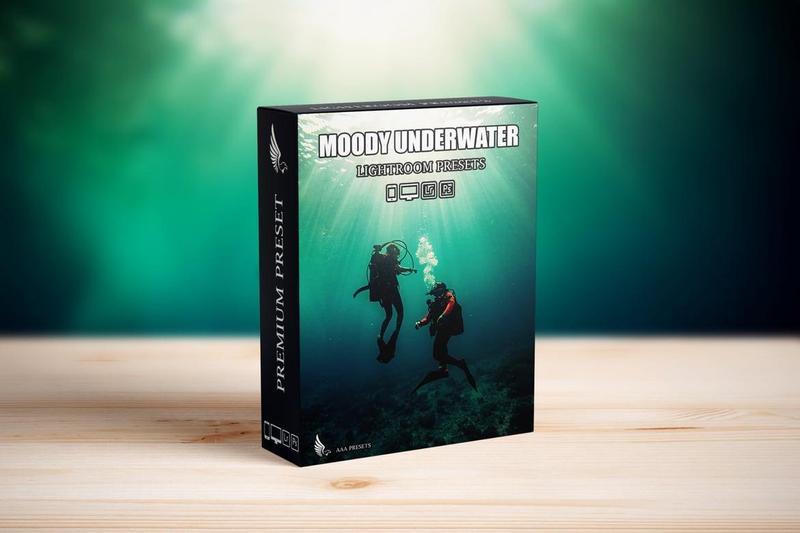
AI-Optimized Moody Underwater Lightroom Presets 5MG23WD
**AI-Optimized Moody Underwater Lightroom Presets (8 DNG + 8 XMP)**
Transform flat, washed-out underwater shots into deep, cinematic images with the **AI-Optimized Moody Underwater Lightroom Presets**. This preset pack is built to fix common underwater problems such as strong color casts, haze, and low contrast, while keeping skin tones, textures, and fine details natural and realistic.
—
### Give Your Underwater Photos a Moody Cinematic Look
These presets are ideal for scuba diving, snorkeling, freediving, pool sessions, and creative underwater portraits. With one click, you can add rich blues, clean teals, and dramatic depth that looks stunning on Instagram, TikTok, YouTube thumbnails, travel blogs, and professional portfolios.
—
### Key Features
* Moody, cinematic underwater color grading with rich blues and teals
* Reduces green and murky color casts for cleaner water tones
* Boosts depth, contrast, and clarity so subjects stand out
* AI-optimized looks that are fast to apply and easy to fine-tune
* Balanced to keep skin tones and textures natural, not over-processed
—
### Perfect For
* Scuba diving, snorkeling, freediving, and reef photography
* Pool photography and creative underwater portraits
* Action camera footage (GoPro, DJI, Insta360) and DSLR or mirrorless photos
* Travel photographers and content creators sharing underwater visuals on social media
—
### Whats Included
* **8 Lightroom Presets in XMP format** for Lightroom Classic, Lightroom Desktop, and Adobe Camera Raw
* **8 Lightroom Presets in DNG format** for Lightroom Mobile on iOS and Android
* Compatible with both RAW and JPEG images
* Optimized for different underwater conditions including shallow water, deep blue water, pools, natural light, and mixed lighting
—
### Compatibility
* Adobe Lightroom Classic (XMP)
* Adobe Lightroom (Desktop & Mobile)
* Adobe Camera Raw (ACR)
* macOS and Windows
* Lightroom Mobile for iOS and Android via DNG presets
—
### How to Use the Moody Underwater Presets
1. Import your underwater photos into Lightroom (desktop or mobile).
2. Apply one of the Moody Underwater presets from the pack.
3. Adjust exposure and white balance to match your scene.
4. Fine-tune blues, aquas, and greens to suit your water conditions.
5. Export and share your cinematic underwater images.
—
### Why Choose These Underwater Presets?
* Saves time fixing difficult underwater color issues
* Creates a consistent, moody underwater aesthetic across your gallery or feed
* Beginner-friendly while still delivering professional-quality results
* Ideal for travel photographers, divers, vloggers, and content creators
—
### Helpful Tips
* Start with well-exposed images shot in RAW for best results
* Use white balance and HSL sliders to fine-tune each image
* Test multiple presets to find the best look for your depth and lighting
—
### FAQ Moody Underwater Lightroom Presets
**Do these presets work on mobile?**
Yes. The pack includes 8 DNG presets that work with the free Lightroom Mobile app on iOS and Android.
**Can I use them with JPEG photos?**
Yes. RAW files provide more flexibility, but these presets also work well with JPEG images from phones, action cameras, and compact cameras.
**Are the presets easy to adjust?**
Yes. Apply a preset as a base, then tweak exposure, white balance, contrast, and color sliders to match your style.
**What underwater photos work best?**
They perform best on available-light underwater shots such as reefs, freediving, snorkeling, pools, and underwater portraits with a moody cinematic feel.
**Note:** Model images shown are for presentation purposes only and are not included with the download.