


3ds max Script that Passion
3ds max Script that Passion
How to Enhance 3ds Max with Lots of Free Scripts.
What you’ll learn
⚡ Using Hexagon, Clip Planes, Clip Spline Check, Mesh Muscle, SplineFillet, Spline Outline Edges, Disco Ball, Null Objects
⚡ Using Transform Mesh, Splines From Holes, Spline Poly Bind, Macroscript Creator, Polar Array, Using H_Signing
⚡ Using Save Previous, ZS_Resize, Scale Rotate Reference, Booleanr Helper, Unrealenginetools, GQuadSphere, Random Select
⚡ Using Smart TurboSmooth, Lock Tool, Pro Color, Make LODs, Px Poly Paint, Draw Tools, Profile Shape, Slice Tools
⚡ Using Wire Chaos, Viewport Statistic, Improve Face Normal, UniConnector, Delete Modifiers, Select By Type
⚡ Using Dummy Resizer, Poly Quad, Flange, Helix 1.0, Hose 1.2, Basket Ball Maker, PaperWindmill, 3D Puzzles
⚡ Using Puzzle 2D, Snowflake, ChineseKnot, Simple Generator Splines, Star, Gear, Patch Mesh, Tetrahedral Spline.
⚡ Using Tetra Tree, Quad Cylinder, Pulley Belt, Chain Rigger, Randomize Elements, Icon Viewer, Road Offssetter
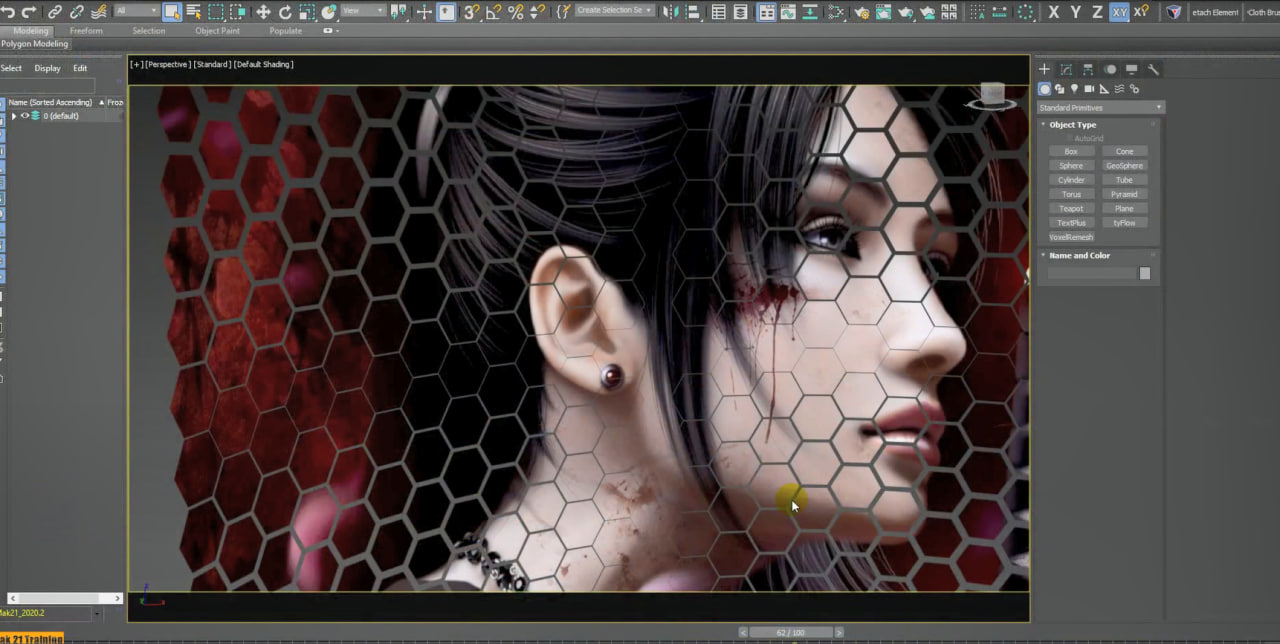
⚡ Using Honeycombmesh, Hexasphere, Face Extrude, 2D_Extrude.
Requirements
❗ 3ds max 2017 and higher.
Description
“This course contains the use of artificial intelligence”
Note: This course uses a speaker with AI-generated voice.
Topics: in this course we will study many free scripts to increase the potential of 3ds max, as well as analyze the various types of installation of the same, the management of the interface, the personalized creation of workspaces to better manage our scripts and methods to remove scripts when no longer needed.
No programming knowledge is required to follow the course, all scripts are ready to use via the integrated interface in 3ds max.
In the course we will study all the script settings through the analysis of the various options and practical exercises, specifically we will use
Hexagon: for creating static and animated hexagonal polygonal figures.
Clip Planes: to interactively cut polygonal objects and automatically close the holes.
Spline Check: to check the state of splines before extrusions.
Mesh Muscle: to generate muscles suitable for Cat-style Characters.
SplineFillet: to create fillets between open splines.
Spline Outline Edges: To break segments in single or compound outline splines.
Scale Rotate Reference: to scale and rotate objects and change their proportions in relation to other objects.
Disco Ball: for parametrically creating the classic disco balls.
Null Objects: to find ghost objects in our scenes.
Transform Mesh: to move, scale and rotate objects in relation to auxiliary objects.
Splines From Holes: to create parametric splines in relation to the holes of the geometry.
Spline Poly Bind – to use Freeform modeling tools on splines.
Macroscript Creator – to customize the 3ds max interface in relation to scripts.
Polar Array: to create interactive Arrays with the philosophy of modifiers.
H_Signing: to create both linear and sloping carriageway signs in a parametric way.
ZS_Resize: to manage the precise dimensions of a 3D object through modifiers.
Save Previous: to script save 3ds max files for previous releases.
Extra Lessons:
Booleanr Helper: to increase the possibilities of Boolean operations.
Unrealenginetools: to prepare 3D models to import into Unreal.
GQuadSphere: to create spheres always divided by 4-sided polygons.
Smart TurboSmooth: to apply and remove TurbosSmooth automatically.
Random Select: to create random selections in the scene.
Lock Tool: to lock and unlock all the entities present in the scene.
Pro Color: for color management in Viewport.
Make LODs: for creating objects with automatic polygon reduction.
Draw Tool: to draw freehand directly in the Viewport.
Px Poly Paint: to paint directly on Polygonal objects.
Profile Shape: to create new parametric lines.
Slice Tools: to parametrically cut the geometries.
Wire Chaos: to generate random splines.
Viewport Statistic: to view more detailed traverse statistics.
Improve Face Normal: To fix wrong orientations of Normals.
Uniconnector: to automatically connect vertices.
Delete Modifiers: to delete and manage modifiers.
Select By Type: to select the types of elements.
Dummy Resizer: to resize dummies.
Poly Quad: to convert the mesh to square polygons.
Flanges: to create parametric mechanical objects.
Helix 1.0: to create Helix variables on spline path.
Hose 1.2: To create Pipes on a spline path.
Basket Ball Maker: to create basketballs.
PaperWindmill: to create pinwheels.
Snowflake: to create snowflakes.
ChineseKnot: to create Chinese knots.
Simple Generator Splines: Create artistic random splines.
Star: to create star primitives.
Gear: to create gear primitives.
Patch Mesh: For creating advanced patches.
Tetrahedral Spline: to create tetrahedral objects on spline paths.
Tetra Tree: to create tetrahedron trees.
Quad Cylinder: to create cylinders with quad topology.
Pulley Belt: to create belt splines.
Chain Rigger: Create animated auto-rig chains.
Randomize Elements: to randomly change the appearance of 3D objects.
Icon Viewer: To view and manage 3ds max graphical icons.
Road Offsetter: to create lane lines and more.
and other scripts.
Attached to the lessons are the exercise files for 3ds max 2017 and 3ds max 2020 compatible with higher releases.
Note: the exercise files are attached to lesson 2 ” 002_Installing Hexagon ” and to lesson ” 034_Installing Booleanr Helper ” and to lesson ” 089_Honeycombmesh ”
DOWNLOAD FROM SYNCS.ONLINE – Part 1
DOWNLOAD FROM SYNCS.ONLINE – Part 2
DOWNLOAD FROM SYNCS.ONLINE – Part 3
DOWNLOAD FROM SYNCS.ONLINE – Part 4
DOWNLOAD FROM HOT4SHARE.COM – Part 1
DOWNLOAD FROM HOT4SHARE.COM – Part 2