


Physics Ball Controller – UE5 Blueprint System – Unreal Engine
Physics Ball Controller – UE5 Blueprint System – Unreal Engine
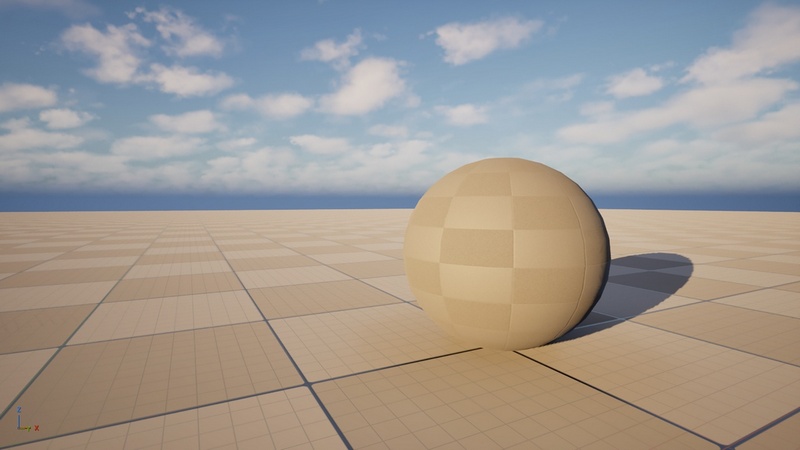
Physics Ball Controller is a ready-to-use Blueprint system for Unreal Engine 5 that lets you control a physics-based ball using Unreal Engine’s built-in physics system.
The ball can move in all directions, and the camera can also be controlled by the player. This asset is useful for rolling ball prototypes, simple physics-based gameplay, obstacle courses, or as a base movement system for a ball game.
Features:
Move the ball in all directions
Player-controlled camera
Unreal Engine physics enabled
Blueprint-based movement system
Configured Input Actions
Main Blueprint included: BP_Ball
Easy to understand and modify
Compatible with Unreal Engine 5
Note:
This system does not include a jump mechanic. It is designed for ground-based ball movement using physics simulation.
Features:
• Physics-based ball movement
• Ball can move forward, backward, left, and right
• Player-controlled camera
• Unreal Engine physics simulation enabled
• Blueprint-based system
• Enhanced Input Actions configured
• Simple setup and easy to modify
Number of Blueprints:
• 1 main Pawn Blueprint: BP_Ball
• 1 GameMode Blueprint: GM_BallMode
Input:
• Keyboard: WASD or arrow keys for movement
• Mouse: Camera control
• Gamepad: Not configured by default
Network Replicated:
No
Supported Development Platforms:
• Windows: Yes
• Mac: No
Supported Unreal Engine Versions: 5.7
Documentation:
Written PDF documentation and a README.txt file are included in the project folder:
Content/Documentation/
The documentation explains how to set up the asset, how to use the included demo level, how to configure the GameMode, and how to modify the input controls.
Important/Additional Notes:
This asset is a simple physics-based ball controller for Unreal Engine 5. The main controllable Pawn is BP_Ball. To use the system in your own level, set the level GameMode Override to GM_BallMode. You can also open Lvl_Demo, which is already configured and ready to play.
The ball can move in all directions and the camera can be controlled by the player. Controls can be modified inside the Input Mapping Context located in the Input folder.
This asset does not include a jump mechanic.
No external third-party plugin is required.
ModelingToolsEditorMode is not required.